%20--%3e%3csvg%20width='63.297821mm'%20height='39.29665mm'%20viewBox='0%200%2063.297821%2039.29665'%20version='1.1'%20id='svg8765'%20inkscape:version='1.1%20(c4e8f9ed74,%202021-05-24)'%20sodipodi:docname='OBALogoSingle2.svg'%20xmlns:inkscape='http://www.inkscape.org/namespaces/inkscape'%20xmlns:sodipodi='http://sodipodi.sourceforge.net/DTD/sodipodi-0.dtd'%20xmlns='http://www.w3.org/2000/svg'%20xmlns:svg='http://www.w3.org/2000/svg'%3e%3csodipodi:namedview%20id='namedview8767'%20pagecolor='%23ffffff'%20bordercolor='%23666666'%20borderopacity='1.0'%20inkscape:pageshadow='2'%20inkscape:pageopacity='0.0'%20inkscape:pagecheckerboard='0'%20inkscape:document-units='mm'%20showgrid='false'%20fit-margin-top='0'%20fit-margin-left='0'%20fit-margin-right='0'%20fit-margin-bottom='0'%20inkscape:zoom='1.1759259'%20inkscape:cx='179.85827'%20inkscape:cy='102.04724'%20inkscape:window-width='1920'%20inkscape:window-height='972'%20inkscape:window-x='0'%20inkscape:window-y='27'%20inkscape:window-maximized='1'%20inkscape:current-layer='layer1'%20/%3e%3cdefs%20id='defs8762'%20/%3e%3cg%20inkscape:label='Layer%201'%20inkscape:groupmode='layer'%20id='layer1'%20transform='translate(-31.351095,-50.101677)'%3e%3cpath%20style='fill:none;stroke:%233584e4;stroke-width:3.965;stroke-linecap:square;stroke-linejoin:round;stroke-miterlimit:4;stroke-dasharray:none;stroke-opacity:1'%20d='m%2077.07508,77.78787%2014.84134,8.87817%20V%2052.83397%20L%2034.08359,86.5521%20V%2053.69366%20l%2015.27351,9.31107'%20id='path8388'%20sodipodi:nodetypes='cccccc'%20/%3e%3c/g%3e%3c/svg%3e)
Best Portfolio Tracker UK
Discover what makes the best portfolio tracker for UK investors, from ISA and SIPP wrapper support to stock analysis tools and financial analytics dashboards. Learn which features matter most and how to build a smarter investment workflow.
On this page (16)
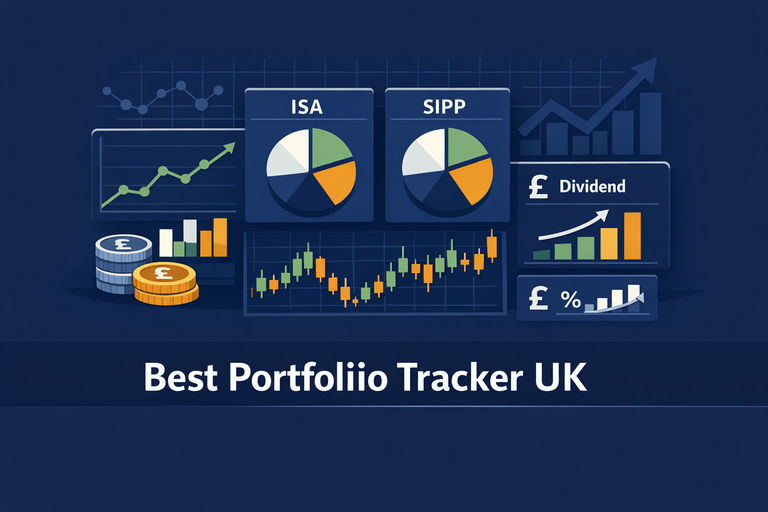
Finding the best portfolio tracker for UK investors is harder than it looks. Search for one and you will mostly find broker apps — platforms where you hold your investments, not tools that help you understand them. The distinction matters enormously. A genuine portfolio tracker sits above your accounts, consolidates your holdings, and gives you the kind of stock analysis and investment analytics that help you make better decisions. For UK investors juggling a stocks and shares ISA, a SIPP, and perhaps a general investment account across multiple platforms, the right tracker is not just a convenience — it is the only way to see your full financial picture clearly. This guide cuts through the noise to explain what to look for, which features genuinely matter, and how dedicated stock analysis tools fit into the picture.
Why Most UK Investors Are Using the Wrong Tool
The most common mistake UK investors make is treating their broker app as a portfolio tracker. Platforms like Hargreaves Lansdown, Interactive Investor, and Trading 212 are excellent places to hold investments. But each one can only see itself. If your ISA is on one platform and your SIPP is on another — which is extremely common, especially after job changes — no single broker app will ever show you your combined position.
A dedicated portfolio tracker is a separate layer that sits above your accounts. It pulls in data from multiple sources, converts everything into a single base currency, and gives you a unified view of performance, income, and risk. For UK investors, this is not a luxury — it is a structural necessity, because the UK tax wrapper system actively encourages you to hold accounts in multiple places.
There is also a second, subtler problem. Broker apps report performance per account, from the date that account opened. What most investors actually want to know is how their overall portfolio has performed since they started investing — across all accounts, all wrappers, and all time periods. That kind of consolidated stock market analysis is simply not possible inside a single broker interface.
Key Features to Look for in the Best Portfolio Tracker UK
Not all portfolio trackers are built with UK investors in mind. Many of the most popular tools are designed primarily for US or continental European markets, and the gaps show up in ways that matter. Here is what to evaluate before committing to any platform.
GBP as a Base Currency
This sounds obvious, but a surprising number of widely recommended trackers price their subscriptions in dollars or euros and treat GBP reporting as a secondary feature. Your tracker should report everything in pounds by default, converting foreign holdings at current exchange rates. If you hold US-listed stocks like Apple (AAPL) or Microsoft (MSFT) alongside UK-listed shares, accurate currency conversion is not optional — it is the difference between knowing your real return and seeing a number that flatters or misleads you depending on sterling's recent movements.
ISA and SIPP Wrapper Awareness
UK investments live inside tax wrappers, and the wrapper fundamentally changes what information is useful. Gains inside an ISA or SIPP are sheltered from capital gains tax, so detailed CGT reporting is irrelevant for those accounts but essential for a general investment account. A tracker that understands your accounts as tax wrappers — rather than as generic buckets of securities — can tell you what proportion of your wealth is tax-sheltered, keep taxable and non-taxable gains separate, and help you think clearly about where to deploy new capital.
UK Fund and Ticker Coverage
Global trackers handle US equities flawlessly and then stumble on London-listed investment trusts, OEICs, and accumulation-class index funds. If you hold Vanguard LifeStrategy funds, Scottish Mortgage Investment Trust (SMT), or any number of UK-listed ETFs, you need to verify that your chosen tracker can actually price those instruments before you commit. Poor fund coverage is one of the most common complaints among UK users of otherwise well-regarded international tools.
Dividend Tracking and Income Forecasting
For income-focused investors, dividend tracking is the single most important differentiator between tools. A strong tracker should log dividend payments automatically, forecast upcoming income, and — critically for UK tax purposes — separate UK-sourced dividends from foreign income. The UK dividend allowance and the treatment of foreign withholding tax both depend on this distinction. If you hold income-generating stocks like Legal and General (LGEN) or National Grid (NG.), accurate dividend tracking is not a nice-to-have feature.
Stock Analysis and Financial Analytics Capabilities
The best portfolio trackers do more than record what you own — they help you understand it. Look for platforms that integrate stock analysis tools directly into the portfolio view, so you can assess the fundamental health of your holdings without switching between multiple websites. Features like valuation metrics, earnings history, financial ratios, and risk scoring turn a passive record-keeper into an active financial analytics dashboard. This is where dedicated stock analytics platforms like OpenBook Analytics add genuine value — by combining portfolio-level visibility with the kind of deep stock market analysis that helps you evaluate whether each holding still deserves its place.
Built for UK investors
Track a UK portfolio properly
Openbook handles pence-quoted LSE and AIM shares correctly, covers 25,000+ equities and ETFs, and scores every holding on Reward and Risk out of 100. Import a CSV from Trading 212 or add holdings by hand.
The Role of Stock Analysis Tools in Portfolio Management
Tracking what you own is only half the job. The other half is understanding whether what you own is still worth holding. This is where stock analysis platforms become essential companions to a portfolio tracker.
A good financial analysis software platform will let you assess each holding across multiple dimensions: valuation (is the stock cheap or expensive relative to its earnings and peers?), financial quality (is the balance sheet strong, is cash flow growing?), momentum (is the market's view of this company improving or deteriorating?), and risk (how volatile is this stock, and how correlated is it with the rest of your portfolio?). These are the questions that separate informed portfolio management from passive holding.
For UK investors, this kind of share analysis is particularly important because the London Stock Exchange contains a wide range of company types — from large-cap multinationals like Shell (SHEL) and Unilever (ULVR) to smaller domestic businesses with very different risk profiles. A stock analysis and screening tool that lets you filter and compare across these dimensions helps you build a portfolio that reflects your actual investment thesis, rather than one that has simply accumulated over time.
The most effective approach is to use a portfolio tracker and a stock analysis platform in combination: the tracker gives you the consolidated view of what you own and how it is performing; the analysis platform helps you evaluate each holding on its merits and identify opportunities or risks you might otherwise miss.
Understanding Portfolio Performance: What the Numbers Actually Mean
One of the most underappreciated features of a good portfolio tracker is accurate performance measurement. This is harder than it sounds. Most investors intuitively think of performance as the difference between what they paid and what their portfolio is worth today — but this simple calculation breaks down the moment you make additional contributions or withdrawals, which almost every investor does.
The correct measure for evaluating your investment skill is the time-weighted return (TWR), which strips out the effect of when you added or withdrew money and shows you how your investment decisions have actually performed. The money-weighted return (MWR or IRR) tells you a different but equally important story: how your portfolio has grown in the context of your actual cash flows. A tracker that only shows you a simple gain/loss figure is giving you incomplete information.
Benchmarking matters too. Knowing that your portfolio is up 12% this year is useful; knowing that the FTSE All-World index is up 15% over the same period is more useful. The best investment analytics tools make it easy to compare your performance against relevant benchmarks, so you can assess whether your active decisions are adding value or whether a simple index fund would have served you better.
No card required
Try it before you commit to anything
The free plan covers portfolio tracking, dividend income and the stock screener with no trial clock. Set it up in a few minutes and see whether the analysis tells you something new.
How to Choose Between the Main Options
The UK market for portfolio trackers has matured considerably, and there are now several credible options depending on your priorities. Here is a practical framework for choosing.
If Tax Reporting Is Your Priority
Sharesight is the established leader for UK tax reporting. It applies HMRC's share-matching rules — same-day, 30-day bed-and-breakfast, and Section 104 pooling — and produces capital gains and taxable income reports that are genuinely useful for self-assessment. If you have a general investment account of any size and do your own tax return, this functionality alone can justify the subscription cost.
If Dividend Income Is Your Focus
Tools built around income tracking offer dividend calendars, payment forecasts, dividend safety ratings, and income visualisation. If your portfolio is structured around generating a reliable income stream from stocks like HSBC (HSBA), Aviva (AV.), or Rio Tinto (RIO), a dividend-focused tracker will give you far more useful information than a general-purpose tool.
If Deep Stock Analysis Is What You Need
For investors who want to go beyond tracking and into genuine investment analytics — evaluating the financial quality of holdings, screening for new opportunities, and applying quantitative frameworks to portfolio decisions — a dedicated stock analysis platform is the right tool. OpenBook Analytics is built specifically for this purpose, offering financial analytics dashboard tools that combine share price analysis, fundamental data, and portfolio-level insights in one place.
If You Want a Whole-Wealth View
Some investors want to see their investments in the context of everything they own — property, pensions, cash, and debts alongside their stock portfolio. Tools designed for this whole-wealth perspective connect to UK bank accounts via open banking and treat ISAs and SIPPs as first-class account types. This approach answers a different question from pure portfolio tracking, but it is often the more useful one for investors who are also managing a mortgage, building an emergency fund, or planning for retirement.
Building a Smarter Investment Workflow
The most effective UK investors tend to use a small stack of complementary tools rather than searching for a single platform that does everything. A practical workflow might look like this: a portfolio tracker to maintain a consolidated view of holdings and performance; a stock analysis platform to evaluate individual positions and screen for new ideas; and a tax tool or accountant to handle the annual self-assessment.
The key is to be intentional about what each tool is for. Your portfolio tracker should answer the question: what do I own, and how is it performing? Your stock analytics software should answer: is each holding still justified, and what should I be considering next? These are distinct questions that benefit from distinct tools — and conflating them is one of the main reasons investors end up with a cluttered, confusing setup that they stop using.
Whatever combination you choose, the habit of reviewing your portfolio regularly — with good data, across all your accounts — matters more than the specific tools you use. The best portfolio tracker is the one you will actually open every month, understand at a glance, and act on with confidence.
Conclusion
The best portfolio tracker for UK investors is not simply the one with the most features — it is the one that answers the questions you are actually asking, with proper support for GBP, ISA and SIPP wrappers, UK fund coverage, and the kind of stock analysis capabilities that turn raw data into genuine insight. Whether you prioritise tax reporting, dividend income, deep financial analysis software, or a whole-wealth view, there is now a credible tool for each need. The important step is to move beyond your broker app and build a setup that shows you your complete portfolio — because you cannot manage what you cannot see.
Next step
From tracking to understanding
Once your holdings are in, factor exposure and sector concentration explain why the portfolio is behaving the way it is — the part a plain valuation total never tells you.
You can Compare AAPL, MSFT, SMT, LGEN, NG, SHEL, ULVR, HSBA, AV, RIO side by side on Openbook, or find stocks with the screener.
Related analysis

Co-founder of Openbook Analytics. Andrew studied Finance and Economics at the University of Strathclyde and writes on UK & US equities, stock valuation models, and portfolio strategy.
This article is for information and education only. It is not investment advice and not a recommendation to buy, sell or hold any investment. Openbook Analytics Ltd is not authorised or regulated by the Financial Conduct Authority. Past performance is not a reliable indicator of future results; the value of investments can fall as well as rise and you may get back less than you invest. Do your own research or speak to a qualified financial adviser.